Category Archives: Tips & Tricks - Page 2

Monitor Files & Directory For Modifications With PHP

One can monitor for changes to files & directories, including events like open, close, new file, delete, rename & all other file/directory operations.

The following code snippet should be self-explanatory:

<?
$data_file = '/var/data/my_data_file.txt';

$inotify_fd = inotify_init();

$watch_descriptor = inotify_add_watch($inotify_fd, $data_file, IN_OPEN);

while (1)
{
$events = inotify_read($inotify_fd);
$filepath = $events['name'];

print "File opened";
}

inotify_rm_watch($inotify_fd, $watch_descriptor);

fclose($inotify_fd);
?>

List Modified Filenames In Git

I was working on a few enhancement features of an existing project, after a few weeks work I was required to make some completed features live, so I was wondering what all files have been modified. So the Git versioning came to help, and by specifying two commit SHA1s I was able to retrive the list of files modified between the commits. Here’s how to do it,

$ git diff --name-only afd98 a3d55
program.pl
list.pl
Docs.pm

Monitor Directory For New Files With WSH

Sajal wanted to monitor a directory, detect new file(s) and open them in their associated applications, I remember monitoring directory for changes in Linux in a Perl script. Doing something similar on Windows it seemed tough, but a after a little pondering I remembered about Windows Script Host (WSH), and after a bit of googling, coding, trial and errors, I came up with a script which does all that is required, it’s written in VBScript.

strDrive = "D:"
strFolder = "\\dropbox\\downloads\\"
strComputer = "."
intInterval = "5"

' Connect WMI service
Set objWMIService = GetObject("winmgmts:" _
& "{impersonationLevel=impersonate}!\\" & _
strComputer & "\root\cimv2")

' build query
strQuery =  "Select * From __InstanceCreationEvent" _
& " Within " & intInterval _
& " Where Targetinstance Isa 'CIM_DataFile'" _
& " And TargetInstance.Drive='" & strDrive & "'"_
& " And TargetInstance.Path='" & strFolder & "'"

' Execute notification query
Set colMonitoredEvents = objWMIService.ExecNotificationQuery(strQuery)

' get a shell application object
Set WshShell = WScript.CreateObject("Shell.Application")

Do
Set objLatestEvent = colMonitoredEvents.NextEvent
' strip out the real path
Response = Split(objLatestEvent.TargetInstance.PartComponent, "=")
' remove slash & quotes
FileName = Replace(Response(1), """", "")
FileName = Replace(FileName, "\\", "\")
' open the file in it's associated program
WshShell.ShellExecute FileName, "", "", "open", 1
Wscript.Echo FileName
Loop


Skydrive currently offering 25GB free space

Microsoft’s SkyDrive is offering 25GB of free cloud storage upgrade currently to its loyal user base.

Read on how to get it for free

Force Download Specific Files with Apache & Htaccess

At time we want visitors to download instead of viewing the file instead of viewing inside their browser. As a visitor I have faced problems with PDF files at many sites where I wanted to download the PDF file and view it separately because viewing the PDF inside the browser slows down the browser and sometimes causes the browser to crash.

So, If you want to force people to download a file or all files in a specific directory and so on, if is very easy to do so with the help an Apache directive which sets the response header ‘Content-Disposition’ to ‘attachment’, see the examples below:

<Files *.pdf>
Header set Content-Disposition attachment
</Files>

<Directory /var/www/html/images>
Header set Content-Disposition attachment
</Directory>

Play Snake on any youtube video

How many times have you sat in front of your monitor just the video to start.. hoping for a faster start of the video. You don’t have to be bored while waiting for that cool youtube video you are about to watch.

Read more »

Copy text, url from firefox to android/iphone

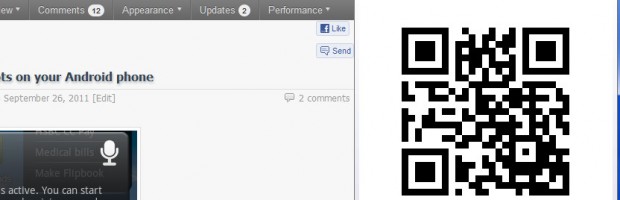
You must already have scanned bar codes to download apps, browse urls from your desktop to your mobile, isn’t it very convenient, requires no typing and no extra app installation for copy pasting, everything happens via the bar-code image. Read more »

Your own, “no software”, data shredder

Junk file creation

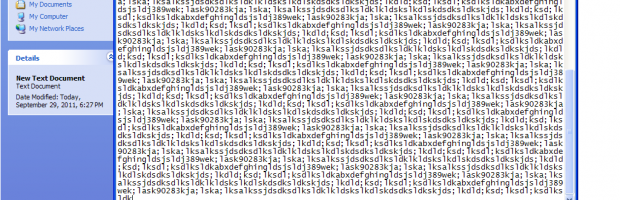
By data shredder I mean deleting data on a re-writable storage medium beyond recovery by normal methods. You might have heard of recovery of deleted files using special software, similarly, there are software available to delete data/files rendering them unrecoverable.

Read more »

Browsing privacy at public places & work

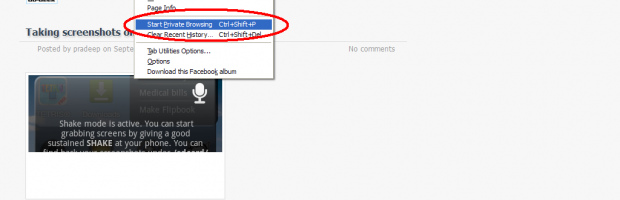
Many times we run into situations where we are required to use a public or a friend’s computer for work or personal work, like paying bills, buying stuff online etc, with this comes a privacy problem of privacy where you might accidentally leaving browsing/download history, login cookies (i.e. remember me/stay signed in etc) or chances of browsers saving form data & passwords. Private browsing or Incognito mode as some browsers feature it is the answer to the problem.

Read more »

Optimizing Firefox, Advanced Tips

Firefox Tips
  • Are you a heavy user of firefox?
  • Do each of your browsing session consists of 5 or more open tabs?
  • Do you tend to use firefox for hours?
  • Are you a heavy user of multiple addons?

If you replied yes to all of those, I can safely say that I can definitely help you out.

Firefox is definitely a wonderful browser, just the browser which power users need, it not only makes the web more personal but gives the full power in the hands of the users .. however like a powerful horse, unless you tame it you cannot ride smoothly on it.

I had noticed that firefox consumes 1.5gb of memory on my 3gb RAM equipped laptop, I went on hunting and found out the following alarming information, solution provided along with for your ease ..

Read more »